E-commerce · 8 min
Adobe Commerce, WooCommerce or a custom store: which one fits?
How to choose your e-commerce platform by volume, catalogue and ERP and payment integrations. And how to be ready for your biggest sales day.
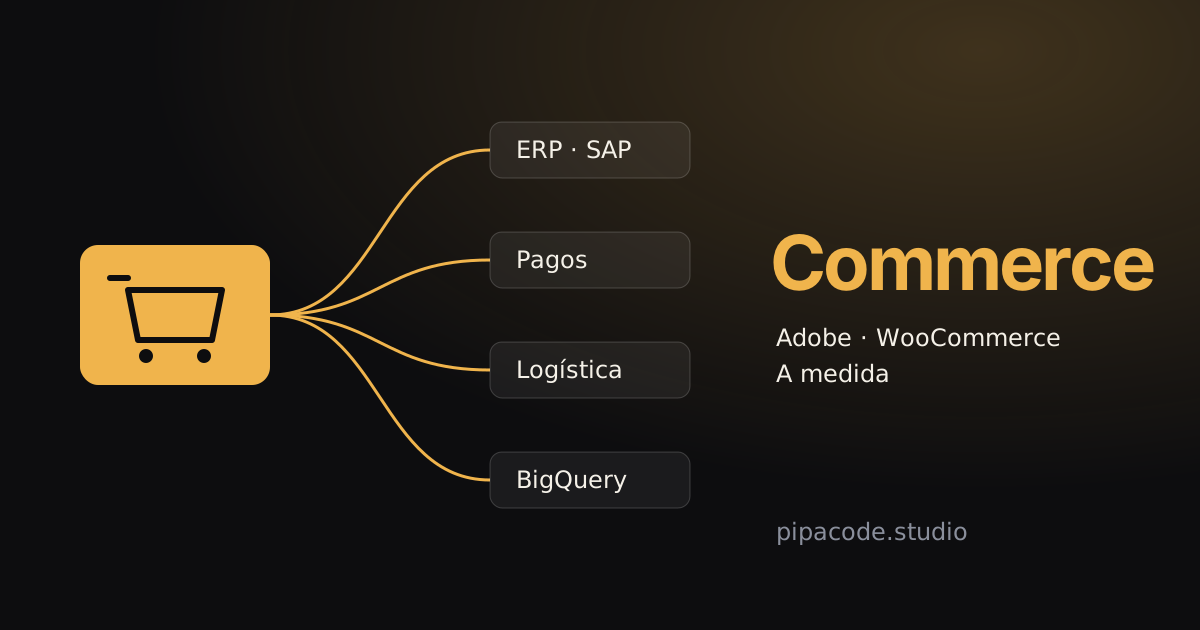
Short answer: no e-commerce platform is better than the rest. There is one that fits your volume, your catalogue and the systems your store has to talk to. A subscription platform is enough to get started and for many small businesses. WooCommerce works when you want control without a big project. Adobe Commerce (Magento) pays off when the catalogue, the integrations and the traffic are those of a large company. And a custom store makes sense when your sales process is so specific that no platform handles it without being forced.
The four paths
A subscription platform
Shopify, Tiendanube and similar services: you pay a monthly fee and, depending on the plan, a commission per sale, and the platform takes care of hosting, security and updates. It’s the fastest way to start selling. The limit shows up when you need something the platform doesn’t offer: a deep integration with your ERP, different prices per customer or a checkout with its own rules.
WooCommerce
It’s the WordPress store. The software is free and you install it on your own hosting, so you get more control and more responsibility: updates, security and performance are up to you or to whoever builds it for you. It works very well for medium-sized catalogues and for businesses already on WordPress. With heavy traffic or lots of plugins, it needs well-configured hosting and caching.
Adobe Commerce (Magento)
It’s the platform of large stores. There’s an open-source edition (Magento Open Source) and a paid one, Adobe Commerce, with a licence, support and a cloud option (Adobe Commerce Cloud). Out of the box it handles what other platforms patch on: several stores and brands on one base, huge catalogues with many variants, prices and terms per customer, wholesale and retail at the same time. In exchange, it needs a team that knows it: a poorly maintained Magento becomes slow and expensive to change.
A custom store
It makes sense when the value of the business lies precisely in how it sells: a product configurator, a marketplace with several sellers, bulk sales with their own rules or an experience a template can’t deliver. It’s the option with the most freedom, and the one that depends most on the project being well planned and documented.
What to look at when deciding
- Volume and peaks. Selling steadily all year is not the same as concentrating sales on Black Friday, CyberMonday or a campaign. What matters is how the store holds up on its biggest sales day.
- The catalogue. How many products and variants there are, whether prices change per customer, price list or channel, and whether you sell wholesale and retail.
- The integrations. The ERP (SAP or another), payment methods (Mercado Pago, Payway), logistics, invoicing and data. In a large store, integration is often more work than the store itself.
- Who will maintain it. Your team, an agency or a vendor. A platform nobody in your company understands becomes a dependency.
- The total cost, not just the upfront one. Licence or subscription, sales commissions, hosting, development, maintenance and the cost of switching platforms in a few years.
When each one fits
- Subscription platform: you’re starting out or your catalogue is simple, you don’t need deep integrations and you’d rather not deal with infrastructure.
- WooCommerce: you want more control than a subscription gives you, the catalogue is medium-sized and you already work with WordPress or have someone to maintain it.
- Adobe Commerce (Magento): the catalogue is large, there are several brands or channels, prices depend on the customer and the store has to integrate with an ERP such as SAP and with several payment methods.
- Custom: the sales process is your own and part of your edge, or you’ve already tried platforms and they all force you to work around their limits.
Many companies follow this path in order: they start with a subscription, move to WooCommerce or Magento as they grow and add custom development where it’s needed. That’s fine; what’s worth avoiding is migrating without a clear reason.
What breaks first: the integrations
In a small store, keying an order into the management system by hand is a nuisance. In a store with thousands of orders a day, it’s impossible. That’s why, in a large e-commerce operation, the critical part is almost never the template but what happens behind it:
- The ERP as the source of truth. Stock, prices and customers come from the ERP and reach the store; orders travel the other way. If that fails, the store sells what isn’t there or shows old prices.
- Payments. Mercado Pago, Payway or other methods, with their instalments, their payment notifications and the data to reconcile each payment with its order.
- Logistics. The order has to reach the warehouse and the carrier on its own, and the customer has to see the status of their shipment.
- Data. If sales, the catalogue and user behaviour end up in one place, such as BigQuery, every team measures with the same number.
Every integration needs a log of what happened and alerts when something fails. An integration that fails silently is worse than none at all.
Getting ready for your biggest sales day
Traffic on a discount date can be several times that of a normal day, and it arrives all at once. The store has to be ready beforehand:
- Autoscaling. On Adobe Commerce Cloud, or on whatever cloud your store runs, it’s set up to add capacity on its own when traffic comes in and release it when it drops. That way you don’t pay for peak capacity all month. We go into more detail in How to cut cloud infrastructure costs without losing performance.
- Caching and a CDN. Product and category pages are served from a cache, close to the user, leaving the server free for the cart and checkout.
- Speed on mobile. Most purchases start on a phone. If the store is slow, sales are lost. We explain why in Core Web Vitals: what they are and why they affect your sales.
- Nothing new the week of the event. Big changes happen before; during the peak, only what’s essential.
What if your current store isn’t working?
Before migrating, it’s worth reviewing. Often the store doesn’t need a new platform, but a well-configured cache, fewer extensions, an integration that doesn’t fail or hosting that scales. A migration makes sense when the current platform can’t grow with the business, when maintaining it costs more than replacing it or when it’s no longer supported.
If you do migrate, it’s done in stages: with the store selling throughout, with redirects so you don’t lose your Google rankings and with a way to roll back if something doesn’t go as expected.
How we approach it at Pipa Code
Our team has worked with online stores of every size, from WooCommerce to high-volume Adobe Commerce platforms. Before founding Pipa Code, one of us led the planning and delivery of the Adobe Commerce store of a leading consumer electronics retailer in Argentina, built from scratch and integrated with SAP and BigQuery, which launched on the planned date and with the full agreed scope. He also worked on other high-traffic stores, with payment integrations such as Mercado Pago and Payway.
Today we build on Adobe Commerce (Magento) and WooCommerce, and make custom stores when it makes sense. We start with an assessment of the store, its integrations and its traffic, and work in stages, without stopping sales. If you want to see how, High-volume e-commerce for companies has the details. Or tell us about your case and we’ll review it together.